Assigning security roles in Microsoft Dataverse is a simple but essential step to control user access.
In this quick guide, we’ll walk through how to assign a security role to a user in just a few steps.
Steps to Assign Security Roles
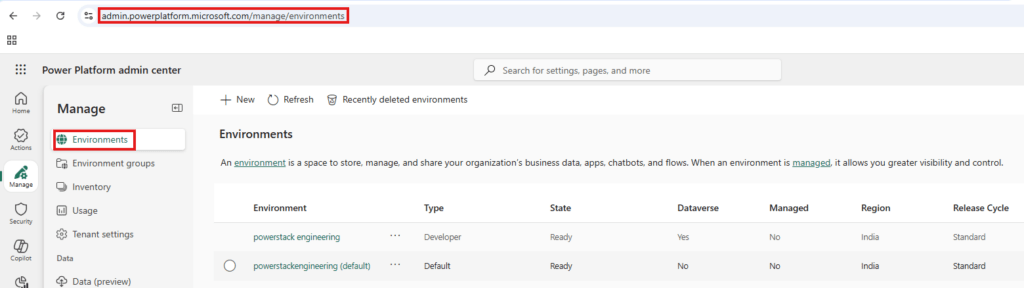
Step 1: Go to Power Platform Admin Center
- Open: https://admin.powerplatform.microsoft.com
- Click on Environments
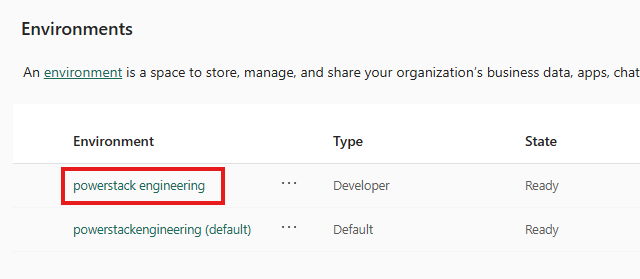
Step 2: Select Your Environment
- Choose the environment where your user is present
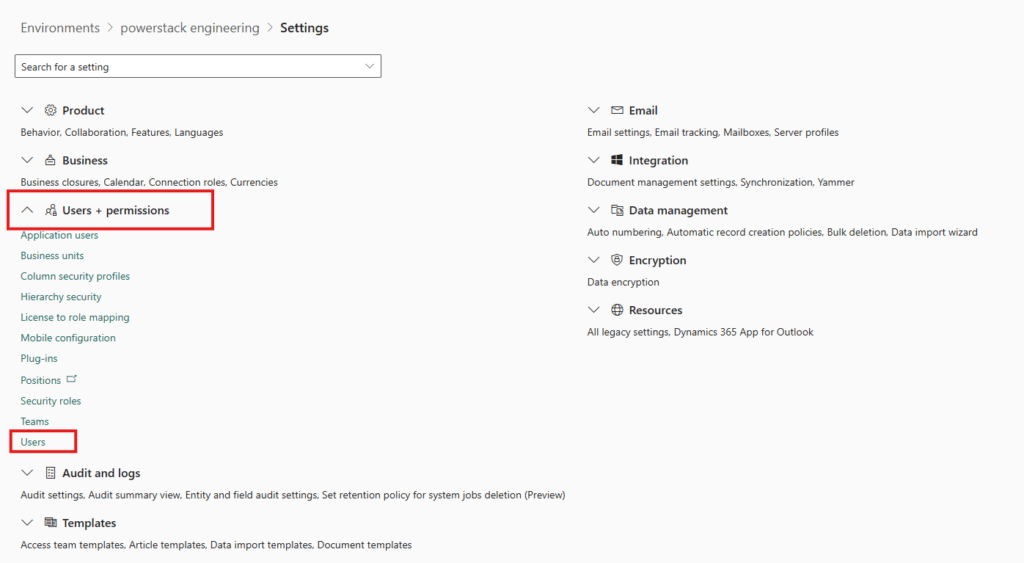
Step 3: Navigate to Users
- Go to:
Settings → Users + Permissions → Users

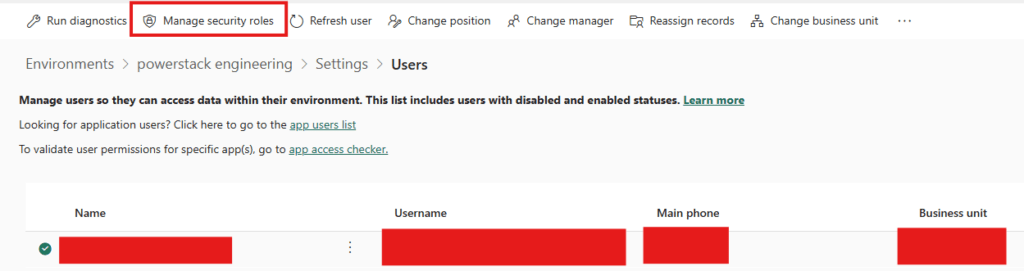
Step 4: Select the User
- Click on the user you want to update
Step 5: Assign Security Roles
- Click Manage Security Roles
- Select the required roles
- Click Save
Quick Tips
- Users can have multiple roles
- Permissions are combined across roles
- Avoid assigning System Administrator unless necessary
Category: