In the previous articles, we explored:
- Business Units → how organizations are structured
- Security Roles → what permissions users have
- Assigning Roles → how permissions are applied
Now we move to a critical concept that directly affects data access:
Record Ownership
Because in Dataverse, access to data is not just about permissions, it’s also about who owns the record.
What Is Record Ownership?
In Dataverse, most records are owned by either a user or a team.
Ownership determines:
- Who is responsible for the record
- Who can access the record (based on security roles)
- How data is shared across the organization
Example:
An Opportunity record created by a salesperson is typically owned by that user.
Types of Ownership in Dataverse
Dataverse supports three main ownership models.
User-Owned Records
These are the most common.
- Owned by an individual user
- Access depends on:
- Security roles
- Business Unit
- Access level
Example:
- Opportunities
- Leads
- Contacts
Team-Owned Records
Records can also be owned by a team instead of an individual.
- Used for collaboration
- Multiple users can access the record
- Ownership is shared
Example:
- Shared opportunities
- Support cases handled by a team
Organization-Owned Records
Some tables are not owned by users or teams.
- No ownership field
- Access controlled only by security roles
Example:
- Configuration tables
- Reference data
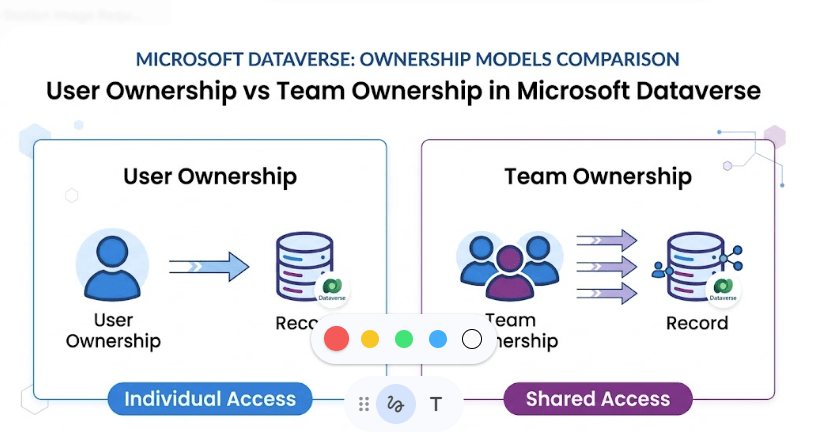
User Ownership vs Team Ownership
Aspect | User Ownership | Team Ownership |
|---|---|---|
| Owner | Individual user | Team |
| Access | Limited to user scope | Shared across team |
| Use Case | Personal work | Collaboration |
| Management | Individual | Centralized |
How Ownership Affects Access
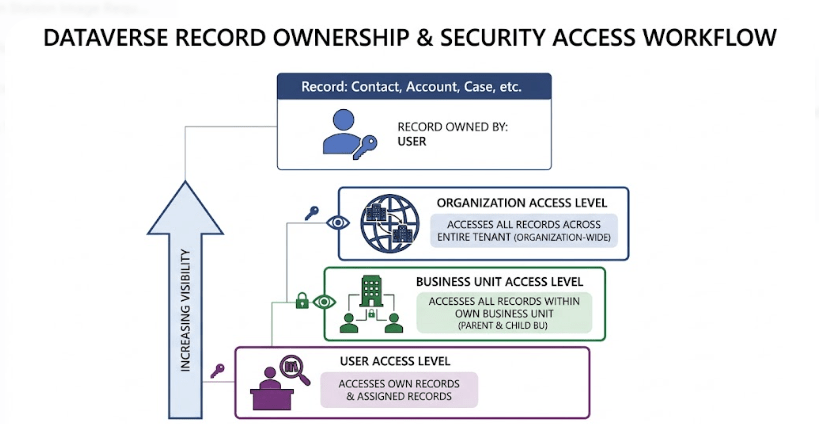
Ownership works together with security roles.
Example:
If a user has:
- User-level Read access → can only see records they own
- Business Unit-level access → can see records owned within BU
- Organization-level access → can see all records
Creating a Record: Who Becomes the Owner?
By default:
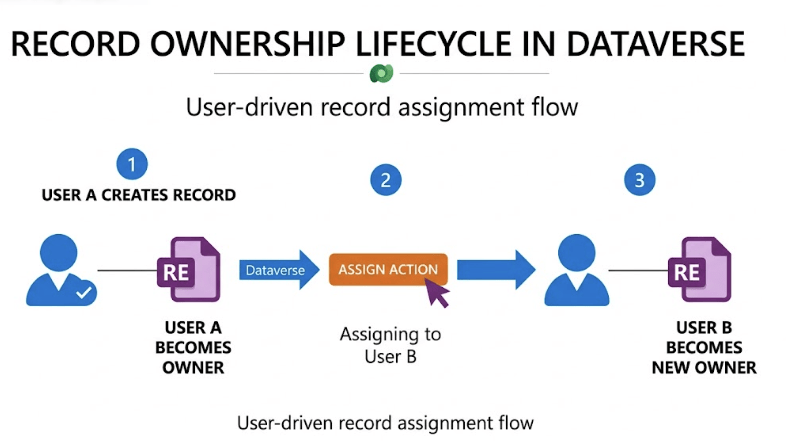
The user who creates the record becomes the owner
Example:
- John creates an Opportunity → John is the owner
However, ownership can be changed.
Changing Record Ownership
Ownership can be reassigned using the Assign action.
Common scenarios:
- Reassigning leads to another salesperson
- Moving records between teams
- Handling employee transitions
User A → Assign → User B
After reassignment:
- New owner gets control
- Old owner loses ownership-based access (depending on roles)
Team Ownership Explained
Teams play a key role in scaling ownership.
With team ownership:
- Records are owned by a team
- Team members get access based on:
- Team roles
- Their own roles
Benefits:
- Easier collaboration
- Shared responsibility
- Simplified access management
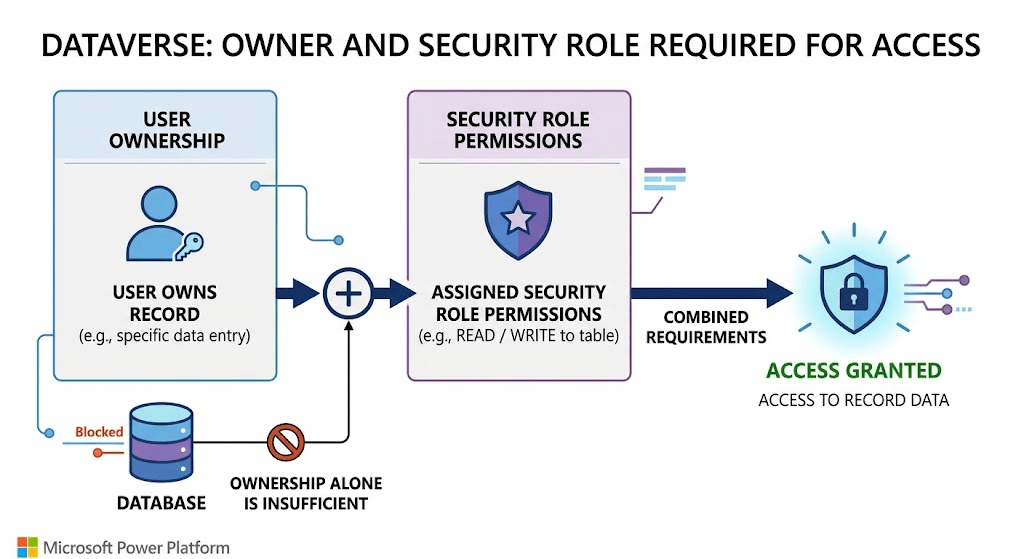
Ownership vs Security Roles (Important)
A common misconception:
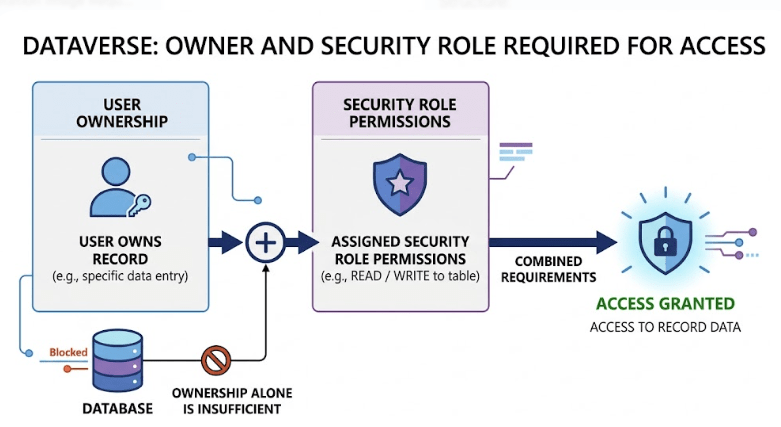
Ownership alone does NOT grant access
Access depends on:
- Ownership
- Security roles
- Business Unit
- Sharing
Example:
A user may own a record but still cannot access it if their role lacks permissions.
Real-World Example
Consider a Sales organization.
Scenario 1 — User Ownership
- Salesperson owns opportunity
- Only they can edit it (User-level access)
Scenario 2 — Team Ownership
- Opportunity owned by Sales Team
- All team members can access it
Scenario 3 — Manager Access
- Manager has BU-level access
- Can see all team records
Common Mistakes
- Overusing user ownership for collaborative data
- Not using teams for shared records
- Assuming ownership = full access
- Ignoring ownership during security design
Best Practices
✔ Use user ownership for individual work
✔ Use team ownership for collaboration
✔ Align ownership with business processes
✔ Combine ownership with proper security roles
✔ Regularly review ownership structure
Conclusion
Record ownership is a core component of the Dataverse security model.
It determines:
- Who is responsible for data
- How access is evaluated
- How collaboration works
When combined with Business Units and Security Roles, ownership ensures that data access is both secure and scalable.
Next in the Series
In the next article, we’ll explore:
Teams in Dataverse: Owner Teams vs Access Teams Explained
This will dive deeper into how teams influence security and collaboration.