When designing security in Microsoft Dataverse, the first concept every developer and architect must understand is Business Units.
Business Units form the organizational structure of the Dataverse security model. Almost every other security feature — such as security roles, record access, and hierarchical permissions — depends on how Business Units are designed.
In this article, we’ll explore:
- What Business Units are
- Why they exist
- How the hierarchy works
- How users are assigned to Business Units
- How Business Units influence security access
This is the first article in the Dataverse Security Model series, where we’ll gradually build a complete understanding of how Dataverse controls access to data.
What Are Business Units?
A Business Unit (BU) represents a logical organizational division inside Dataverse.
Think of Business Units as a way to model how a company is structured internally.
For example, a company might have departments such as:
- Sales
- Marketing
- Customer Support
- Finance
Each of these departments can be represented as a Business Unit.
Business Units allow administrators to organize users and define how data access flows across the organization.
Why Business Units Exist
In most organizations, employees should not see every piece of data.
For example:
- A Sales Representative should see their own opportunities.
- A Sales Manager should see opportunities owned by their team.
- A Finance team member should not necessarily see sales opportunities.
Business Units help enforce this type of separation.
By structuring users into Business Units, Dataverse can control which records users can access based on their organizational position.
Business Unit Hierarchy
Business Units are organized in a hierarchical structure.
This hierarchy typically mirrors the structure of a company.
Key characteristics of Business Unit hierarchy:
- Every environment has one root Business Unit
- Child Business Units inherit from the parent
- Users belong to only one Business Unit
This hierarchical design allows Dataverse to control data visibility across different levels of the organization.
The Default Business Unit
When a new Dataverse environment is created, a default root Business Unit is automatically generated.
This Business Unit typically represents the entire organization.
All new users are initially placed in this root Business Unit unless they are moved to another one.
Example:
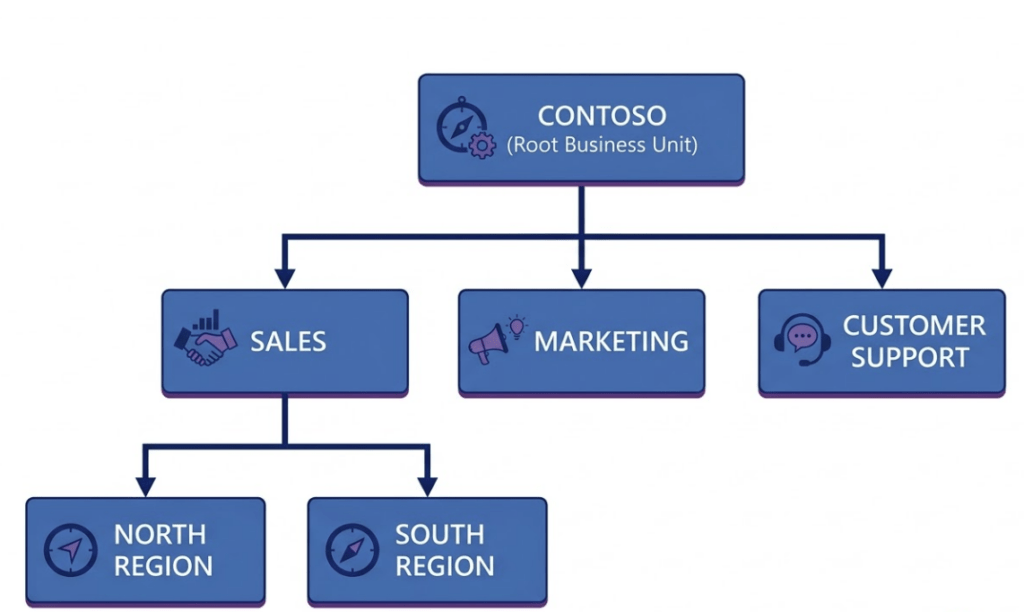
Contoso (Root Business Unit)
Administrators can then create child Business Units such as:
Contoso
   ├── Sales
   ├── Marketing
   └── Support
The root Business Unit acts as the top level of the security hierarchy.
Assigning Users to Business Units
Every user in Dataverse must belong to exactly one Business Unit.
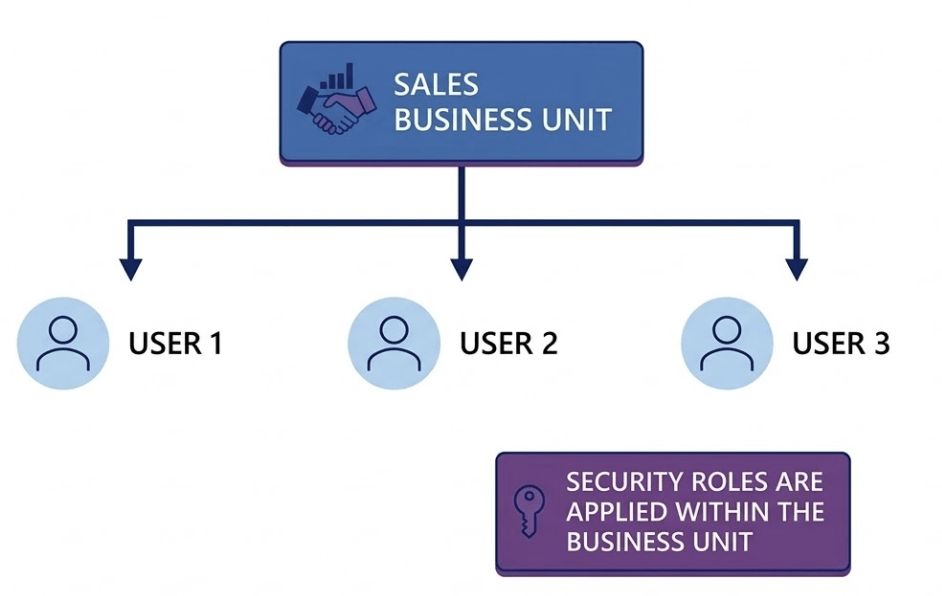
When a user is created:
- The user is assigned to a Business Unit
- Security roles from that Business Unit can be assigned to them
- Their data access is determined by the combination of Business Unit + security roles
This means the Business Unit acts as a container for users and their permissions.
Important rule:
A user cannot have security roles from a different Business Unit.
How Business Units Affect Data Access
Business Units are tightly connected to security role access levels.
Security privileges define how far a user’s access extends within the Business Unit hierarchy.
Example access scopes:
| Access Level | Description |
|---|---|
| User | Access only to records owned by the user |
| Business Unit | Access to records within the same Business Unit |
| Parent:Child Business Units | Access to records in parent and child units |
| Organization | Access to all records |
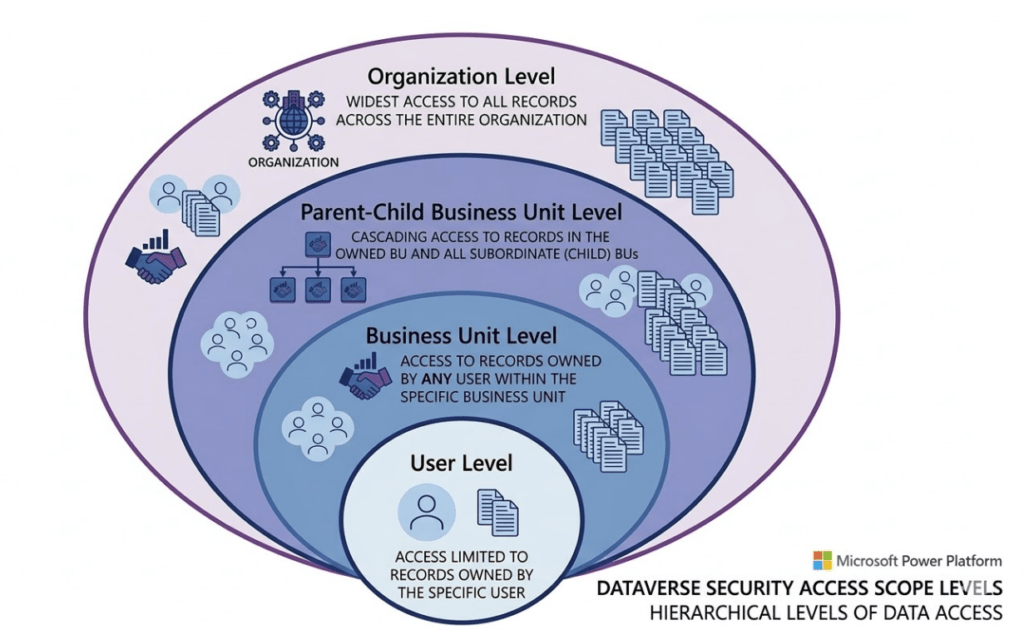
Example scenario:
A Sales Manager in the Sales Business Unit may be able to view:
- Records owned by themselves
- Records owned by other Sales users
But they may not see records owned by Marketing users, depending on the security role configuration.
This is why Business Units are so important when designing security.
When Should You Create New Business Units?
Business Units should represent real organizational divisions.
Common examples include:
- Departments
- Geographic regions
- Legal entities
- Divisions within large enterprises
Example structure:
Contoso
   ├── North America
   │      ├── Sales
   │      └── Support
   └── Europe
          ├── Sales
          └── Support
However, Business Units should not be overused.
Creating too many Business Units can make the security model difficult to manage.
Best Practices for Designing Business Units
When designing Business Units, keep the structure simple and aligned with real organizational needs.
Recommended practices:
- Align Business Units with real departments or regions
- Avoid unnecessary nested hierarchies
- Keep the structure stable over time
- Use Teams for collaboration instead of excessive Business Units
A well-designed Business Unit structure makes the entire security model easier to manage.
Real-World Example
Consider a global company with regional teams.
Example Business Unit hierarchy:
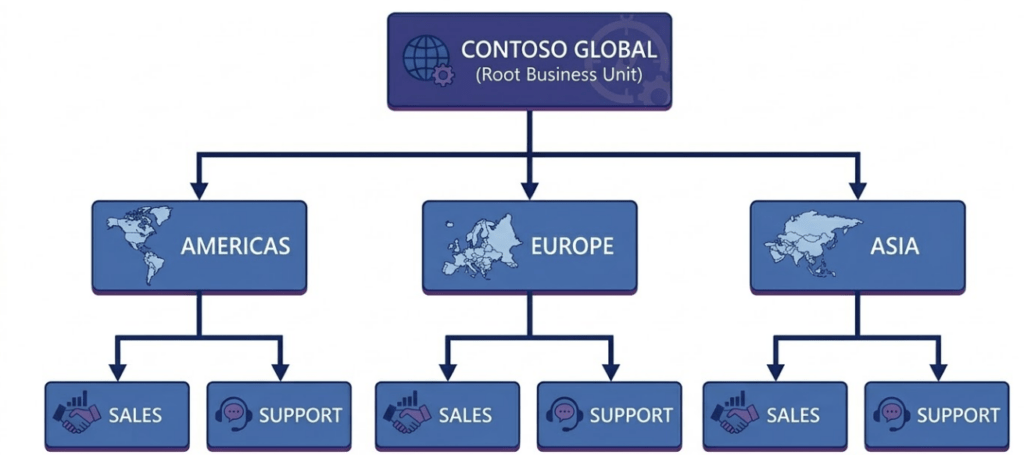
In this setup:
- Sales users in Europe primarily see European sales records.
- Support teams see support cases for their region.
- Executives may have organization-level access.
This structure ensures data visibility aligns with organizational responsibilities.
Conclusion
Business Units are the foundation of the Dataverse security model.
They define how users are organized within an environment and determine how access to data flows across the organization.
By structuring Business Units carefully, administrators can ensure that users only see the data relevant to their role while maintaining a scalable and maintainable security architecture.
Understanding Business Units is the first step toward mastering Dataverse security.