In the previous article, we explored Business Units and how they define the organizational structure in Dataverse.
Now we move to the next critical layer of the security model:
Security Roles — which define what users are allowed to do
If Business Units define where users belong, Security Roles define what users can do within that structure.
In this article, we’ll cover:
What Are Security Roles?
Security Roles in Dataverse define permissions on tables (entities).
They control what actions a user can perform, such as:
- Creating records
- Viewing data
- Updating records
- Deleting records
- Sharing records
Security Roles are assigned to:
- Users
- Teams
Without a security role, a user cannot access data in Dataverse.
Core Privileges in Dataverse
Each security role consists of a set of privileges.
These privileges determine what operations a user can perform.
| Privilege | Description |
|---|---|
| Create | Create new records |
| Read | View records |
| Write | Edit records |
| Delete | Delete records |
| Append | Attach a record to another |
| Append To | Allow other records to be attached |
| Assign | Change record ownership |
| Share | Share records with others |
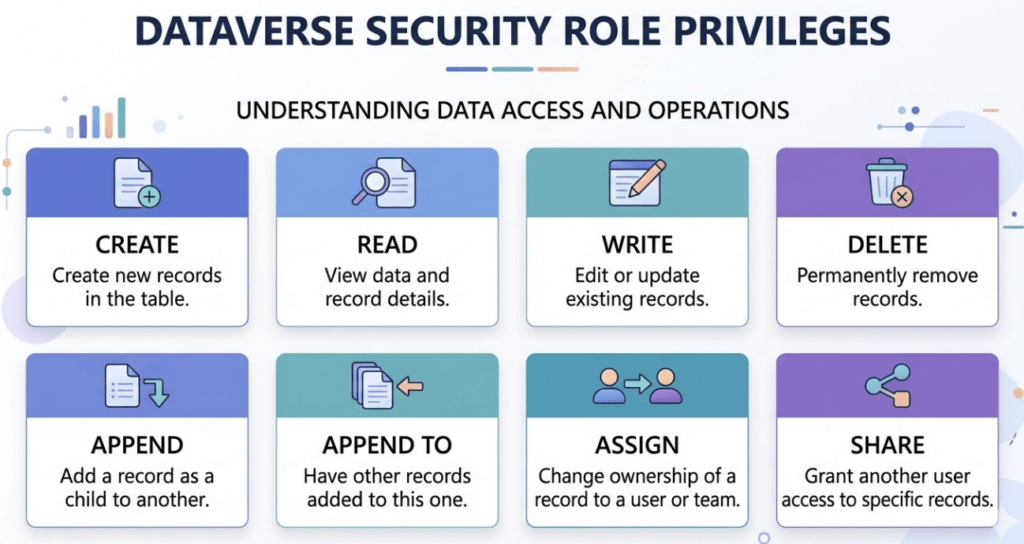
Each privilege is configured per table and combined to define user capabilities.
Security Access Levels
Privileges alone are not enough.
Dataverse also defines how far access extends using access levels.
| Access Level | Description |
|---|---|
| User | Access only to records owned by the user |
| Business Unit | Access to records in the same Business Unit |
| Parent:Child Business Unit | Access to records in the hierarchy |
| Organization | Access to all records |
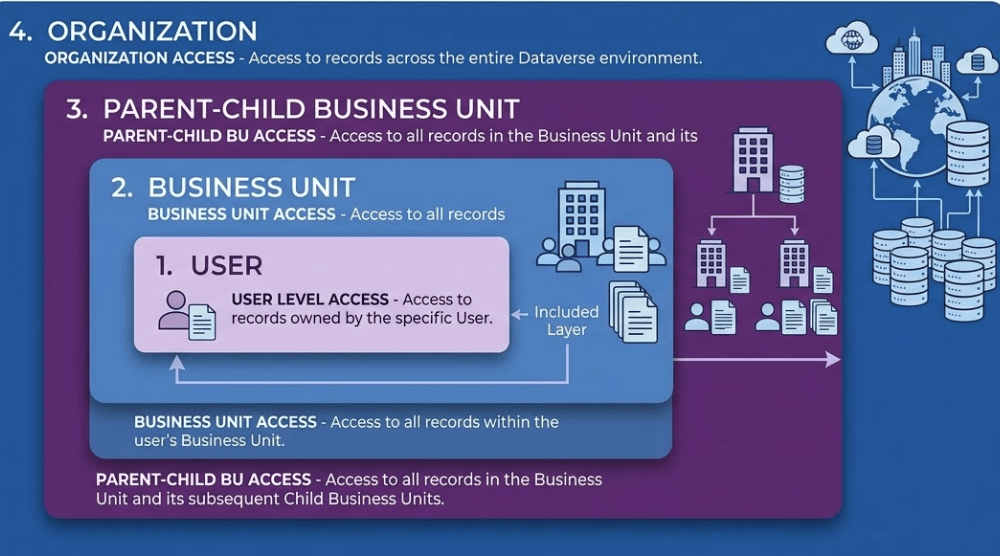
These levels define the scope of access, not just the action.
How Security Roles Work with Business Units
Security Roles are tightly linked to Business Units.
Key rules:
- Security Roles belong to a specific Business Unit
- Users can only be assigned roles from their Business Unit
- Access scope depends on both role + Business Unit hierarchy
Example:
A user in the Sales Business Unit with Business Unit-level access:
- Can access records owned by Sales users
- Cannot access Marketing records (unless permissions allow)
Multiple Roles per User
In Dataverse, a user can have multiple security roles.
Important behavior:
Permissions are combined (union), not restricted.
Example:
- Role A → Read Accounts
- Role B → Write Accounts
User gets: Read + Write access
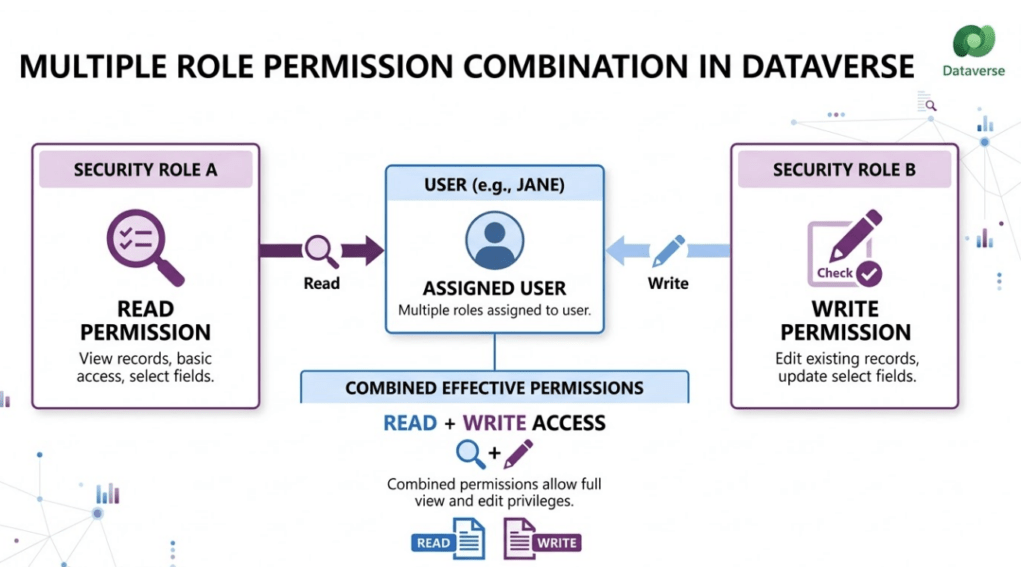
This allows flexible permission design but requires careful planning.
Designing Security Roles
Security roles should be designed based on job responsibilities, not individuals.
Examples:
- Salesperson Role
- Sales Manager Role
- Customer Support Role
- Administrator Role
Best practices:
- Design roles by job function
- Keep roles reusable
- Avoid unnecessary duplication
- Limit organization-level access
Real-World Example
Let’s consider a Sales organization.
Salesperson Role
- Create Opportunities
- Read Accounts
- Write own Opportunities
Sales Manager Role
- Read Opportunities (Business Unit level)
- Assign records
- Approve deals
Administrator Role
- Full access across all tables
This structure ensures:
- Controlled access
- Clear responsibilities
- Scalable security design
Conclusion
Security Roles are the core permission mechanism in Dataverse.
They define:
- What actions users can perform
- How far their access extends
- How data is controlled across the organization
When combined with Business Units, they form the foundation of a scalable and secure Dataverse environment.