In the previous articles, we explored:
- Business Units → how organizations are structured
- Security Roles → what permissions exist
Now we move to the next critical step:
How those permissions are actually assigned to users
Because no matter how well you design security roles, they only become effective when they are correctly assigned to users.
In this article, we’ll cover:
Users in Dataverse
In Dataverse, every person who accesses the system is represented as a User record.
Users are:
- Linked to Azure Active Directory (Entra ID)
- Assigned to a Business Unit
- Given one or more Security Roles
A user without a security role:
Cannot access any data in Dataverse
How Security Roles Are Assigned
Security roles are assigned directly to users within a Business Unit.
Basic flow:
Business Unit → User → Security Roles → Data Access
This is a step-by-step guide to assigning security roles to a user.
Once assigned, the user immediately inherits the permissions defined in the role.
Business Unit Constraint (Important)
A key rule in Dataverse:
A user can only be assigned security roles from their own Business Unit.
This means:
- Roles are scoped to Business Units
- You cannot directly assign a role from another Business Unit
Example:
- User belongs to Sales BU
- They can only receive roles created in Sales BU
This ensures security consistency across the organization.
Role Inheritance via Business Units
Security roles are defined at the Business Unit level.
However, they can be available in child Business Units.
Example:
Root BU
   └── Sales BU
         └── Regional BU
Roles created at higher levels can be used in lower levels depending on configuration.
This allows organizations to reuse security role designs across hierarchy.
Assigning Roles via Teams
Security roles are not only assigned directly to users.
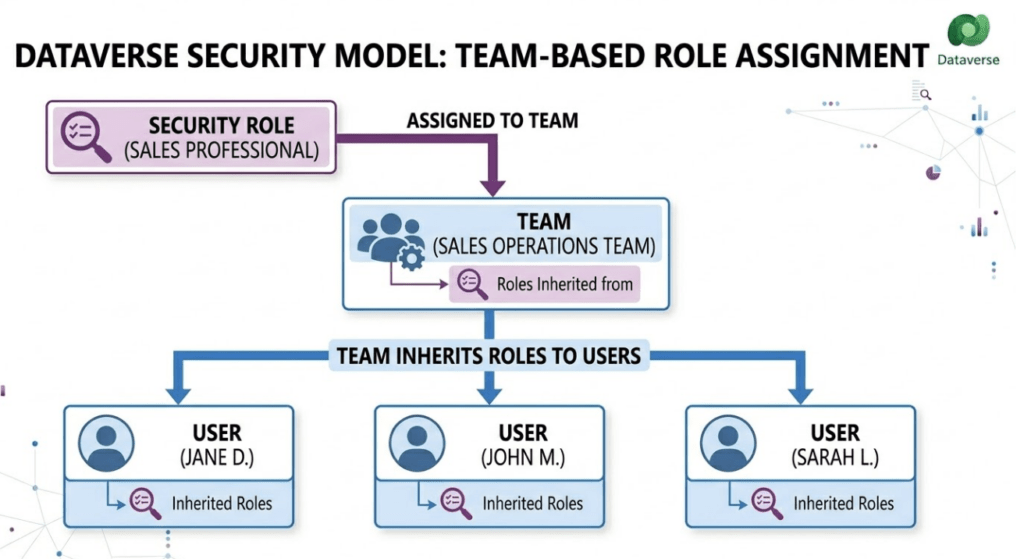
They can also be assigned via Owner Teams.
Flow:
Security Role → Team → User
When a user is part of a team:
- They inherit the team’s security roles
- This simplifies permission management
This is useful for:
- Department-level access
- Shared responsibilities
- Large organizations
Direct Assignment vs Team-Based Assignment
| Method | Use Case |
|---|---|
| Direct User Assignment | Individual permissions |
| Team-Based Assignment | Group-level permissions |
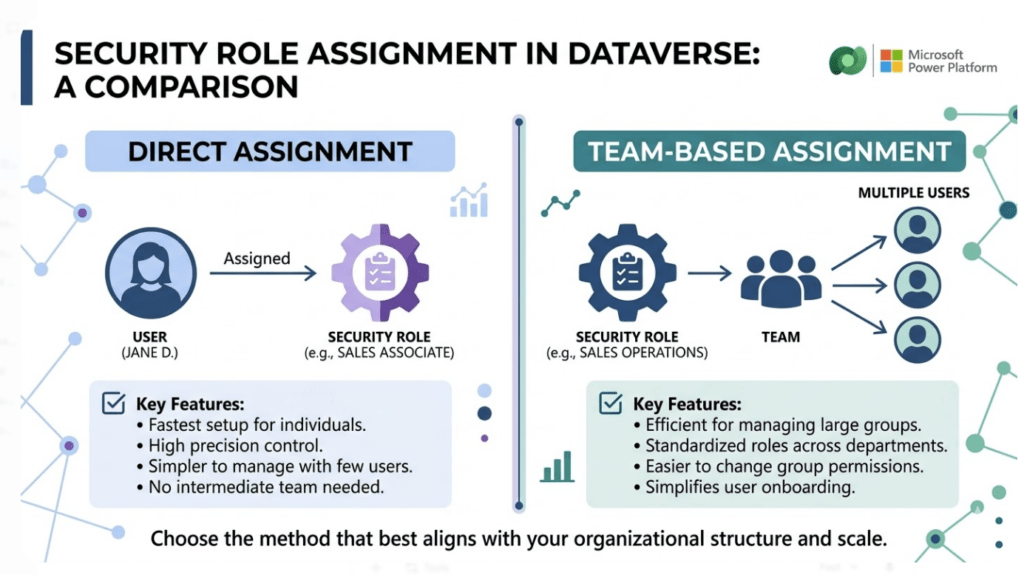
Best practice:
Use Teams for scalability, not individual role assignments.
Real-World Example
Let’s consider a Sales system.
User: John (Sales Executive)
Assigned roles:
- Salesperson Role
- Activity User Role
Through team:
- Sales Team Role
Final access:
- Create and manage own opportunities
- Access shared team data
- Perform activities
This layered approach allows flexible and scalable security.
Common Mistakes
Assigning too many roles to a single user
Not using Teams for group permissions
Confusing Business Unit boundaries
Giving excessive organization-level permissions
These mistakes often lead to security complexity and performance issues.
Best Practices
Assign roles based on job responsibilities
Keep role assignments minimal
Use Teams for shared access
Avoid redundant roles
Regularly audit user permissions
Conclusion
Assigning Security Roles to users is where the Dataverse security model becomes practical and enforceable.
It determines:
- What users can access
- How permissions are combined
- How scalable your security design is
When combined with Business Units and Security Roles, this forms a complete access control system.